Organise Customer Conversations by the Next Action
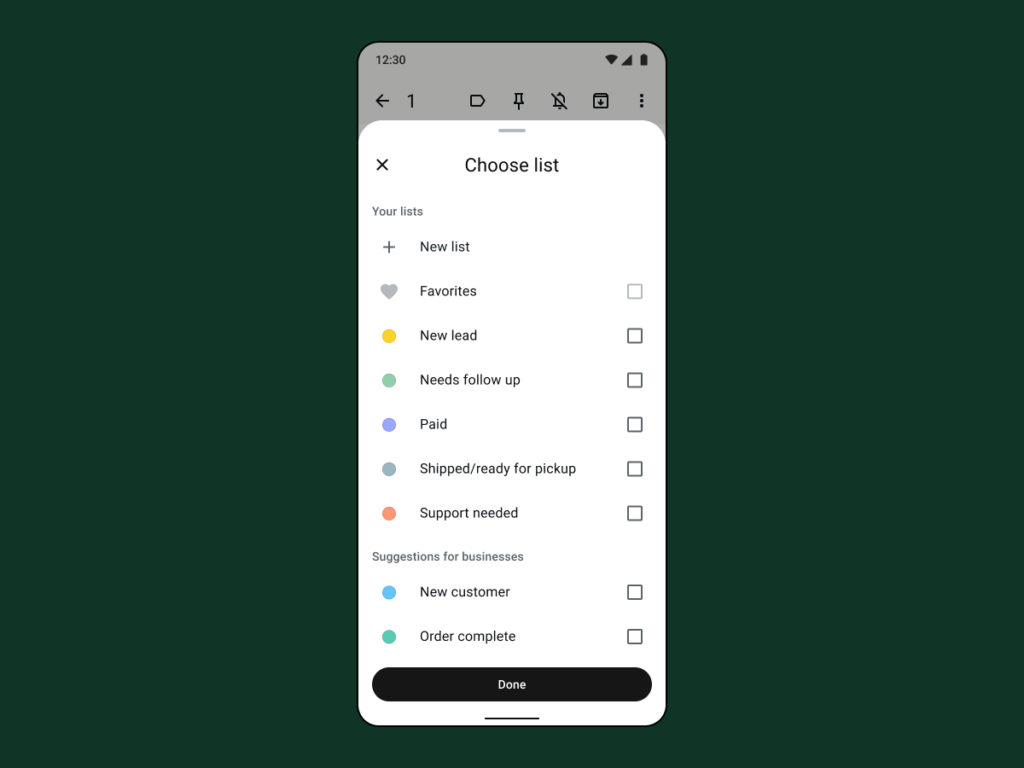
Sorting conversations is most useful when it tells you what to do next. A category such as “waiting for size confirmation” can be more actionable than a vague “important” label.
Make the task clear
Choose a small system that someone else can understand. Too many overlapping groups make the inbox harder to maintain. Use the organisation features available in your version of the business app.
A practical sequence
- Write down the usual stages from enquiry to completion.
- Choose a few clear groups based on the next action or responsibility.
- Move a conversation when the real status changes.
- Review unresolved messages at a predictable time each working day.
An example to recognise
A small workshop separates awaiting customer details from ready for pickup. The owner can see which messages need a reply and which need fulfilment.
Before you finish
Avoid putting sensitive personal characteristics into labels. Keep notes factual and relevant to the transaction.
Review the result as a new customer would see it. Check the public details on a phone and compare them with the way the business actually operates. A useful digital routine should leave fewer unanswered questions; it is not a guarantee of sales or a substitute for fulfilling the promise you make.